 Abstract27
How to create a website with ChatGPT: the complete guide

On this page
- Introduction
- Understanding ChatGPT and its capabilities for website creation
- 1. What is ChatGPT and how does it work?
- 2. Uses of ChatGPT in website creation
- How to use ChatGPT to create a website: code or existing platforms
- 1. Generating HTML, CSS and JavaScript code from scratch
- 2. Using ChatGPT with existing platforms like Ghost CMS or WordPress
- The first steps: preparing to create your website with ChatGPT
- 1. Choosing the right platform: why Ghost CMS?
- 2. Defining your needs and goals for the site
- Using ChatGPT to generate your site's content and structure
- 1. Generating the core content of your pages (Home, About, Blog, etc.)
- 2. Creating an SEO-optimised content plan
- 3. Organising the site: navigation and page structure
- Designing your site with ChatGPT and Ghost CMS
- 1. Customising Ghost CMS designs and themes
- 2. Creating graphic and visual elements with complementary AI tools
- Automating and optimising your site with ChatGPT and no-code tools
- 1. Automating workflows and integrations with Ghost CMS
- 2. Optimising performance and loading speed
- Common challenges of using AI for website creation
- 1. Avoiding common mistakes with ChatGPT
- 2. The importance of human involvement in editing and refining AI-generated results
- 3. Security and data protection
- FAQ: answers to frequently asked questions about ChatGPT and Ghost CMS
- Conclusion
Introduction
Creating a website with ChatGPT opens the door to innovative solutions for anyone who has no coding knowledge.
Artificial intelligence tools such as ChatGPT, Claude or Mistral let you generate quality content, HTML, CSS and JavaScript code, and even plan the structure and design of a website.
Paired with a modern platform like Ghost, this process becomes simpler and more accessible, even for beginners.
This guide walks you through, step by step, the creation of a website with ChatGPT and Ghost CMS, giving you all the keys you need to succeed.
Understanding ChatGPT and its capabilities for website creation
1. What is ChatGPT and how does it work?

ChatGPT is designed to understand and generate human language fluently.
Powered by vast quantities of text data, it can produce varied content ranging from blog articles to product descriptions, as well as code snippets in HTML, CSS and JavaScript.
This ability to meet the diverse needs of users makes it a versatile tool for website creators.
2. Uses of ChatGPT in website creation
- Content generation: ChatGPT can write content for the essential pages of a website, such as the "About" page, blog articles or product descriptions, while adapting the writing style to the target audience.
- Code production: The tool can generate code snippets in HTML, CSS and JavaScript to build the basic elements of a website. For example, you can ask ChatGPT to create a contact form or design a responsive layout.
- Design assistance: ChatGPT can suggest design elements for a website, such as themes, layouts and colour schemes. Drawing on popular frameworks like Bootstrap, it can generate code for modern, optimised designs.
- Recommending tools and resources: ChatGPT can suggest web development tools, libraries and resources that make the site-building process easier.
- SEO optimisation and user engagement: As well as generating content, ChatGPT can suggest SEO strategies, meta descriptions, and even scripts for videos or podcasts, improving your site's visibility and user engagement.
How to use ChatGPT to create a website: code or existing platforms
ChatGPT excels at helping users with web development, whether by generating code or by working with platforms like Ghost CMS or WordPress.
Here's how ChatGPT can be used in both approaches:
1. Generating HTML, CSS and JavaScript code from scratch

Image showing the HTML5, JavaScript and CSS3 logos
For users with basic web development knowledge, or those who want a fully bespoke site, ChatGPT can generate code in HTML, CSS and JavaScript.
Here's how the AI can be used to create the key elements of a website:
- Writing code for unique web pages: You can ask ChatGPT to create a homepage with a custom layout, add CSS animations, or even build a blog page with a card-based structure.
- Generating website components: ChatGPT can create specific elements such as call-to-action buttons, contact forms, navigation bars and footers. You simply set out your precise needs in a prompt, and the tool generates the corresponding code.
- Pros and cons: This approach allows maximum flexibility and full control over the site's design and functionality. However, it requires a certain amount of coding knowledge for integration and customisation, which may not suit every user.
2. Using ChatGPT with existing platforms like Ghost CMS or WordPress

For those who prefer to avoid manual coding, or who are looking for a more user-friendly solution, ChatGPT can be used to set up and customise sites on existing platforms.
Ghost CMS, for example, offers a smooth, optimised experience for content creators.
- Setting up and customising sites: ChatGPT can help you choose a suitable theme, configure pages, and suggest ideas for the site's structure, all while making sure the site is optimised for SEO and user engagement.
- Content generation and design ideas: For Ghost CMS users, ChatGPT can write content for essential pages, suggest layouts, and even help develop a content strategy aligned with SEO best practices.
- Why choose Ghost CMS?: Ghost CMS is simple to use, high-performing, and doesn't require advanced technical skills. It's ideal for anyone who wants a fast, modern site that's easy to manage.

The first steps: preparing to create your website with ChatGPT
Before diving into creating your website with ChatGPT, it's essential to prepare properly by choosing the right platform and defining your needs and goals.
This preparation stage ensures better organisation and efficiency throughout the development process.
1. Choosing the right platform: why Ghost CMS?

Ghost stands out as an ideal option for anyone looking to use AI tools like ChatGPT to build and manage their website.
Here's why Ghost is often preferred over other platforms such as WordPress or Wix:
- Simplicity and speed: Unlike WordPress, which can become overloaded with plugins and superfluous features, Ghost is lightweight, fast and focused on the essentials. This makes it possible to build high-performing websites without complex configuration.
- Native SEO optimisation: Ghost is designed with built-in SEO features, such as automated title tags, clean URLs and XML sitemaps. This makes it easy to optimise the site for search engines without needing to install third-party plugins.
- Friendly for content creators: Ghost offers a clean, intuitive user interface, particularly well suited to bloggers, journalists and content creators. Its content editor is modern and easy to use, which simplifies publishing content regularly.
- Optimised hosting with Abstract27: Abstract27 offers specialised hosting for Ghost, delivering high performance, dedicated support and simplified setup. By choosing Abstract27, you get a turnkey solution that streamlines the management of your website.
We can help you create your website
2. Defining your needs and goals for the site
Before you start building your site, it's crucial to clarify your goals and decide on the essential features you want to include.
ChatGPT can be used to refine these ideas and draw up a precise plan. Here are a few steps to follow:
- Use ChatGPT to think through the site's purpose: Ask ChatGPT questions to help you determine the main purpose of your site, whether it's a personal blog, a business site or an e-commerce shop. For example: "What are the key elements of a showcase site for a services company?"
- Identify your target audience: Ask ChatGPT to help you define your target audience and create user personas. This will let you tailor the site's content and design to your visitors' expectations.
- Create a clear vision of the site's structure and content goals: Use specific prompts to generate ideas for the pages and sections to include. For example: "What are the must-have elements for an engaging homepage?"
Using ChatGPT to generate your site's content and structure
Once you've chosen your platform and defined your goals, the next step is to use ChatGPT to generate the content and structure your website effectively.
ChatGPT can help you write relevant copy, develop a content strategy aligned with SEO best practices, and organise the structure of your site for a better user experience.
1. Generating the core content of your pages (Home, About, Blog, etc.)
ChatGPT can be a powerful tool for quickly creating content for the key pages of your website. Here's how you can use it to generate effective, engaging copy:
- Create copy tailored to your home and "About" pages: Use clear, detailed prompts to ask ChatGPT to write engaging introductions for your homepage or a concise description for the "About" page. For example: "Write an engaging introduction for a digital marketing consultancy."
- Write blog articles and service pages: Ask ChatGPT to generate blog articles or content for service pages based on targeted keywords and the needs of your audience. For example: "Write an SEO-optimised blog article on content marketing best practices."
- Adapt the generated content to Ghost CMS's content-first design philosophy: Ghost CMS places the emphasis on clean, readable content. After generating the text with ChatGPT, you can refine it so that it matches Ghost's aesthetic by removing superfluous elements and focusing on clarity.
2. Creating an SEO-optimised content plan
One of ChatGPT's strengths is its ability to develop content strategies that meet current SEO requirements. Here's how to make the most of this:
- Generate titles, meta descriptions and internal links: Use ChatGPT to create page titles, meta descriptions and internal linking strategies that support better rankings in search engine results. For example: "Suggest SEO-optimised titles for a blog about the digital transformation of businesses."
- Develop a content strategy: Ask ChatGPT to help you plan an editorial calendar based on trending topics and relevant keywords. This can include publishing frequency, content type, and the goals of each article.
- Optimise existing content: You can also use ChatGPT to audit and improve existing content by identifying opportunities for SEO improvement, such as adding subheadings, internal links, or optimised CTAs (calls to action).
3. Organising the site: navigation and page structure
Your site's structure is essential for a good user experience and good search rankings. ChatGPT can help you plan and organise your site's navigation and page structure.
- Design a logical layout: Use prompts to ask ChatGPT to suggest a clear, intuitive navigation structure, with well-defined categories and subcategories. For example: "Suggest a navigation structure for an e-commerce site selling fashion accessories."
- Structure dynamic routes in Ghost CMS: Ghost CMS allows advanced management of dynamic routes for blog articles and pages. ChatGPT can generate ideas on how to structure these routes to improve navigation and SEO.
Designing your site with ChatGPT and Ghost CMS
Once your site's content and structure are defined, the next step is to design the visual side of your website.
Ghost CMS, paired with ChatGPT, offers considerable flexibility for customising your site's themes and graphic elements, creating a unique and engaging user experience.
1. Customising Ghost CMS designs and themes

Ghost offers a range of pre-built themes that can be customised to meet the specific needs of your site.
ChatGPT can help you refine your choices and customise these themes according to your industry, your target audience and your aesthetic preferences.
- Find the perfect Ghost theme: Use ChatGPT to identify the ideal theme based on criteria such as loading speed, mobile compatibility and customisation options. For example: "What's the best Ghost CMS theme for a travel blog focused on photography?"
- Customising themes with ChatGPT: Once you've chosen a theme, ChatGPT can help you customise its elements. You can ask for suggestions on changing colours, fonts, or the layout of elements. For example: "How do I modify the Ghost CMS Dawn theme to add a horizontal navigation menu and a grid layout for the homepage?"
- Example prompts for customisation: Ask ChatGPT to provide custom CSS code to tweak specific elements of your theme. For example: "Provide CSS code to change the background colour and the header font in the Casper theme of Ghost CMS."
2. Creating graphic and visual elements with complementary AI tools

Canva screenshot
In addition to ChatGPT, there are other AI tools that can be used to create visual elements for your site.
Integrating these elements can improve your website's aesthetics and interactivity, especially when they're used consistently with the customisation of your Ghost CMS theme.
- Use DALL-E or Canva to generate visuals: DALL-E, another OpenAI tool, can be used to generate unique images based on text descriptions. Canva, meanwhile, offers a user-friendly interface for creating graphics, banners and other visual elements. For example, you can ask DALL-E to create a bespoke illustration for your site's homepage.
- Integrating multimedia content: Use ChatGPT to generate the text content that accompanies the visual elements you create. You can also get advice on best practices for embedding images, videos and infographics on a Ghost CMS site, ensuring visual consistency and performance optimisation.
- Best practices for effective design: ChatGPT can offer recommendations on the use of white space, the arrangement of sections, and the optimisation of typography, ensuring that your site is not only aesthetically pleasing but also easy to navigate.
Automating and optimising your site with ChatGPT and no-code tools
Once your website has been designed and customised with ChatGPT and Ghost CMS, the next step is to automate workflows and optimise performance. Using ChatGPT, combined with no-code tools, lets you create automated processes and improve the speed and efficiency of your site.
1. Automating workflows and integrations with Ghost CMS
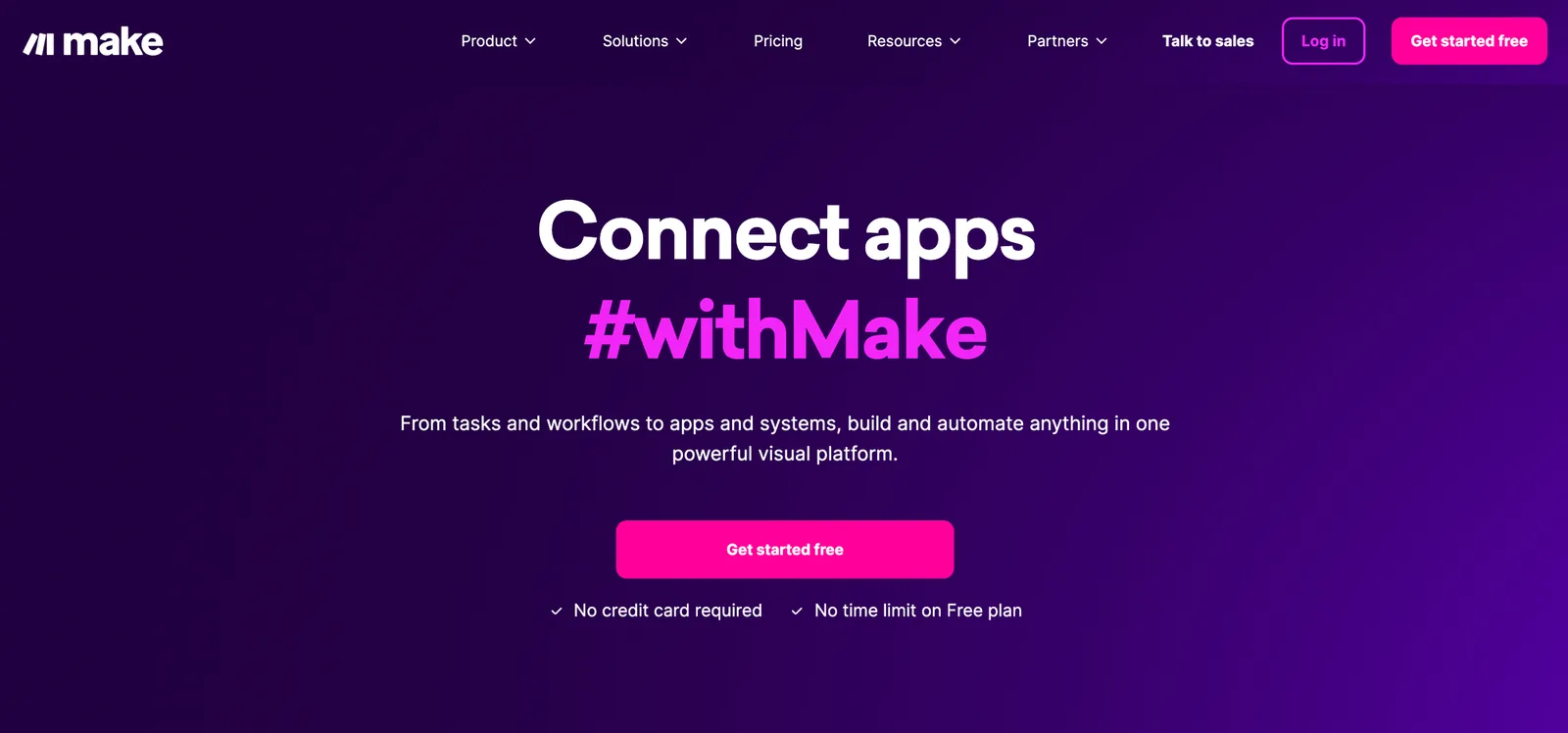
make.com
Automation can help you manage your site's content efficiently, maintain user engagement and improve productivity. With ChatGPT and integration tools like Make.com or Zapier, you can automate several processes.
- Use ChatGPT to write scripts or code for automations: ChatGPT can generate custom scripts to automate tasks such as content publishing, email notifications, or subscription management. For example: "Write a JavaScript script to automate sending a welcome email to new subscribers via Ghost CMS."
- Integrations with third-party tools: You can connect Ghost to other tools via Make.com or Zapier to automate workflows, such as syncing content with social media platforms or managing customer data. ChatGPT can help you plan and configure these integrations by providing step-by-step instructions.
- Setting up workflows for content updates and email marketing: Automate updating your site's content and managing email marketing campaigns with automated workflows. For example, use Zapier to automatically publish new blog articles to social media or to send newsletters to your subscriber list.
2. Optimising performance and loading speed
A website's performance and loading speed are crucial factors for SEO and the user experience.
ChatGPT, with its recommendation and analysis capabilities, can help you identify and resolve performance issues.
- Use AI-generated insights to optimise loading speed: ChatGPT can analyse your site's structure and recommend improvements to reduce loading time. For example: "Which unused scripts can be removed to improve the loading speed of a Ghost CMS site?"
- Tools and methods to test and improve site performance: Use tools like Google PageSpeed Insights, GTmetrix or Lighthouse to test your site's speed, and ask ChatGPT to explain how to interpret the results and apply the suggested improvements. For example: "Explain how to reduce server response time for a site hosted on Ghost CMS."
- Reducing image sizes and caching: Ask ChatGPT for advice on reducing image sizes, caching pages, and minifying CSS and JavaScript files to optimise your site's performance.
Common challenges of using AI for website creation
Using AI like ChatGPT for website creation can offer many advantages, but it also comes with certain challenges.
Understanding these potential obstacles and knowing how to overcome them is essential for getting the most out of AI tools while ensuring a high-quality, secure site.
1. Avoiding common mistakes with ChatGPT
When using ChatGPT to generate content or code, certain mistakes can occur. These mistakes can affect the quality of the site, the user experience or even SEO. Here's how to avoid them:
- Content generated without human review: Content generated by ChatGPT can look correct, but it's crucial to check it to make sure it's relevant and accurate. Subtle errors or outdated information can damage your site's credibility. Always take the time to review and polish the content before publishing it.
- Incorrect or incomplete generated code: Although ChatGPT can generate HTML, CSS and JavaScript code, it may lack context or contain errors. It's important to test any generated code in a development environment and fix any potential errors. Use specific prompts to get more precise solutions, and test scripts in a secure environment.
- Lack of personalisation and authenticity: One of the risks of using AI is creating a site that lacks personality. Make sure you add a human touch to the generated content by adapting it to your tone of voice and your brand identity.
2. The importance of human involvement in editing and refining AI-generated results
Even though ChatGPT can speed up the process of creating content and code, human involvement remains indispensable for ensuring the site is unique, engaging and relevant to the target audience.
- Editing and improving content: Adapt the generated content to better reflect your message and values. ChatGPT can provide a solid foundation, but the content should be adjusted to be more relevant and personalised.
- Ensuring consistency and tone: Establish a clear tone of voice for your site and make sure the generated content adheres to it. Review every section to ensure flow and consistency across the whole site.
3. Security and data protection
When it comes to creating a website with AI tools, data security is a priority.
Ghost CMS, as a modern platform, offers built-in security features, but it's always important to stay vigilant.
- Key considerations for using AI while protecting privacy: Avoid including sensitive information in the prompts you send to ChatGPT. Use general descriptions rather than precise details that could compromise data security.
- Protecting content and user information on Ghost CMS: Make sure your site is set up with HTTPS, use strong and unique passwords, and enable regular backups. Use the available security plugins to strengthen your site's security.
- Stay GDPR-compliant: If you collect personal data, it's essential to comply with data privacy regulations such as the GDPR. Ghost CMS offers tools and configurations that make compliance easier.
FAQ: answers to frequently asked questions about ChatGPT and Ghost CMS
Here are a few common questions and their detailed answers:
Is ChatGPT enough to create a complete website?
ChatGPT is a powerful tool for generating content and code, but it doesn't completely replace human expertise in creating a website. While it can produce text, design ideas, and HTML/CSS/JavaScript code, it's essential to check and personalise any generated content. Human involvement is needed to ensure the relevance, accuracy and final quality of the site. ChatGPT can therefore serve as a valuable complement, but not as the sole solution for the full development of a site.
How does Ghost CMS improve the user experience and SEO?
Ghost CMS is designed to deliver a smooth user experience with a minimalist interface and an intuitive content editor. In terms of SEO, Ghost CMS offers built-in features such as clean URLs, XML sitemaps and automated meta tags, which help optimise content for search engines. These features allow content creators to focus on quality writing without worrying about the technical aspects of SEO.
What does it cost to use ChatGPT and Ghost CMS?
The cost of using ChatGPT depends on the subscription the user chooses on the OpenAI platform. There are free options with limitations and paid options for more intensive use. As for Ghost CMS, it offers two options: self-managed hosting, which is free but requires technical skills for installation and management, and Ghost Pro, a hosting service managed by the Ghost team, with plans starting from €11 per month. Abstract27, for example, offers a hosting plan optimised for Ghost CMS starting from €17 per month.
Can I further customise my site with other AI tools?
Yes, it's possible to combine ChatGPT with other AI tools such as Jasper, Writesonic or DALL-E for more advanced customisation. For example, while ChatGPT can be used to generate basic content and design ideas, Jasper can refine your marketing copy and Writesonic can optimise the SEO of your blog articles. This combination of tools can help you create a more unique and higher-performing site.
Is Ghost CMS secure for handling sensitive data?
Ghost CMS supports HTTPS, which ensures secure communication between users and the server. In addition, the use of security plugins, regular backups and strong passwords is recommended to strengthen security. For businesses handling sensitive data, it's essential to set up rigorous security protocols and stay compliant with data privacy regulations such as the GDPR.
Conclusion
Creating websites has never been so accessible, thanks to advances in artificial intelligence tools like ChatGPT.
By combining the power of ChatGPT with a modern, optimised platform like Ghost CMS, you can create a website that is not only visually appealing but also high-performing and easy to manage.
ChatGPT offers unmatched flexibility for generating content, design ideas, and even code, allowing content creators to focus on what really matters: delivering value to their audience.
Ghost CMS, for its part, provides a robust, SEO-optimised platform, ideal for bloggers, businesses and anyone looking to grow their online presence without getting lost in the complexity of traditional CMSs.
To get the most out of these tools, it's essential to find the right balance between automation and human involvement. AI can speed up many tasks, but it should be used strategically, with careful oversight, to ensure authentic, relevant and high-quality content.
Related articles

Affordable Website Redesign with Ghost CMS: How to Transform Your Site Without Breaking the Bank
Affordable website redesign: switch to Ghost CMS for a fast, optimised, hassle-free site that won't cost you a fortune.

How to Create a Website for Doctors Step by Step
A professional website is now essential for doctors who want to improve their visibility and make communicating with patients easier.

Website Maintenance: Everything You Need to Know
A complete guide to website maintenance: types, frequencies, security, SEO and tools to keep your site fast and reliable.
14-day free trial · No credit card