 Abstract27
Website Creation Tips: Before, During and After

On this page
- Introduction
- 1. Planning and budgeting for your website
- Define your website goals
- Set a realistic budget
- Tips to save more
- 2. Choosing the right platform
- An overview of website-building platforms and solutions
- Pros and cons of a CMS
- Website builders for beginners
- Focus on Ghost CMS
- Competitive pricing
- Optimised for content and SEO
- Intuitive user interface
- Target audience
- 3. Designing your website
- Principles of effective web design
- Customising your theme on Ghost CMS
- Visual elements to optimise
- 4. Creating and optimising content
- Content is king (Bill Gates - 1996)
- Creating quality content
- SEO basics for beginners
- 5. Using built-in features for maximum impact
- E-commerce integration
- Social media integration
- Email marketing
- 6. Maintenance and analytics
- Keeping your site up to date
- Using analytics to measure success
- Insights and adjustments
- Conclusion
- Guide recap
Introduction
Did you know that it's possible — and even easy — to create a professional website without breaking the bank? Plenty of solutions today let you combine quality and savings, whatever your needs.
This article is your step-by-step guide to building a website on a budget while making the most of Abstract27's hosting services and the Ghost content management system (CMS).
Together we'll explore several essential aspects: from budget planning to choosing the ideal platform, designing your site and creating engaging content.
We'll also look at how to make the most of built-in features to fuel your site's growth.
Let's move on to the first step of your website creation project.
1. Planning and budgeting for your website

Source: Unsplash
Let's start with the basics: planning and budgeting are the first essential steps to creating a website that fits your needs while keeping your spending under control.
Define your website goals
Before diving into the numbers, it's crucial to be clear about what you want to achieve with your website.
Whether you're launching a personal blog, an online shop or a showcase site for your business, each goal will have a direct impact on the features you need — and therefore on the cost involved. Think about the following:
- Personal blog: a space to share your passions may need fewer complex features.
- Business site: presenting your services will probably require specific integrations for bookings or consultations.
- E-commerce platform: selling products online calls for payment and stock-management features.
Set a realistic budget
Building your website shouldn't be an unexpected expense. Here are the main costs to consider:
- Domain registration: usually inexpensive, this is the price of securing your site's name — between £10 and £20 per year.
- Web hosting: varies depending on the type of hosting you choose. Abstract27 offers plans starting from €17 a month.
- Design: free themes are an option, but a professional theme may require a bigger investment. Expect to pay between £50 and £200 depending on the template.
- Content: if you write it yourself, the cost is lower, but hiring writers will add to your spending.
- Maintenance: covers security updates and technical tweaks. This service is usually included in the hosting plan — as is the case with our Ghost CMS hosting plans.
Tips to save more
Make the most of every pound spent with our tips:
- Choose affordable hosting: hosts like Abstract27 offer scalable services at competitive prices — perfect for starting small and growing as your needs evolve.
- Use free or low-cost templates: rather than paying for bespoke designs, start with free templates you can customise.
- Opt for all-in-one solutions: platforms like Ghost CMS offer built-in features that reduce the need for extra plugins or extensions, which lowers costs in the long run.

2. Choosing the right platform

Source: Unsplash
Once you've defined your budget and goals, the next step is to select the right platform — the one that best matches your needs and resources.
An overview of website-building platforms and solutions
Choosing a website-building platform is a crucial decision that directly affects how easy your site is to manage, how flexible it is and what it costs over time. Here's an in-depth look at the main options available:
- CMS (Content Management System): these systems give you complete control over your site's structure, design and features. They're ideal for those who want a tailored solution and are happy to handle or learn the technical side.
- Website builders: these platforms provide intuitive drag-and-drop tools to create sites — excellent for beginners or anyone who prefers a simpler approach.
- Bespoke professional services: hiring professionals to develop your site can be worth considering for specific projects that require a unique design or complex features.
Pros and cons of a CMS
A CMS such as Ghost CMS, WordPress, Drupal or Joomla offers remarkable flexibility, but it demands a certain commitment in terms of time and technical skill:
- Pros:
- Extensive customisation: access to a vast range of themes and plugins for deep personalisation.
- Support community: large communities of users and developers ready to offer help and extensions.
- Cons:
- Maintenance: requires frequent updates for security and performance.
- Learning curve: can feel intimidating for newcomers because of its technical complexity.
Website builders for beginners
Platforms like Squarespace, Wix and Weebly make it simple to build sites without any coding skills:
- Pros:
- Ease of use: friendly user interfaces with real-time editing.
- Simplified maintenance: security and updates are handled by the platform.
- Cons:
- Limited flexibility: customisation options are often more restricted than with a CMS.
- Long-term cost: can work out more expensive over time because of the monthly subscriptions.
Focus on Ghost CMS

Ghost CMS is an outstanding platform for anyone looking to create a fast, optimised website without breaking the bank.
Originally designed for bloggers, Ghost has evolved to serve a wide range of online content creators — from journalists to businesses looking to publish high-quality content on a regular basis.
Here's why Ghost CMS could be the ideal platform for you:
Competitive pricing
Ghost CMS stands out for its very affordable pricing structure, which makes it a particularly attractive option for anyone on a limited budget:
- Affordable subscription model: with plans starting from €17 a month for showcase sites, Abstract27 makes Ghost accessible even to the most budget-conscious users.
- No hidden costs: unlike other CMS options, Ghost is transparent about costs — you pay for hosting and get access to every feature, with no extra charges for extensions or themes.
- No commission on sales: if you sell subscriptions, services or products on your website, you can integrate it easily with Stripe. Ghost takes no commission.
Optimised for content and SEO
Ghost is designed to deliver a smooth, optimised publishing experience, which makes it ideal for anyone focused on content and organic search:
- Speed and performance: Ghost sites are incredibly fast thanks to a lightweight architecture and optimised loading times — crucial for SEO.
- Built-in SEO optimisation: Ghost offers advanced SEO features without the need for extra plugins, including optimised metadata, automatic sitemaps and efficient content structuring for better indexing by search engines.
Intuitive user interface
Ghost stands out with its clean interface and visual editor, which make content management simple:
- Markdown editor: lets you format text without knowing any HTML — perfect for those who'd rather focus on writing than on the technical side.
- Simple image and media management: drag-and-drop for images and easy media embedding to enrich your content without any hassle.
Target audience
Ghost is especially well suited to anyone looking for a content-focused platform, such as:
- Content creators and bloggers: ideal for those who want to publish regularly with a system that's easy to manage.
- Small businesses and startups: perfect for companies that want to keep an active blog to engage their customers and improve their online visibility.
- Digital publishers and magazines: managing multiple authors and scheduling content is simple and efficient — well suited to larger-scale operations.
3. Designing your website
Source: Unsplash
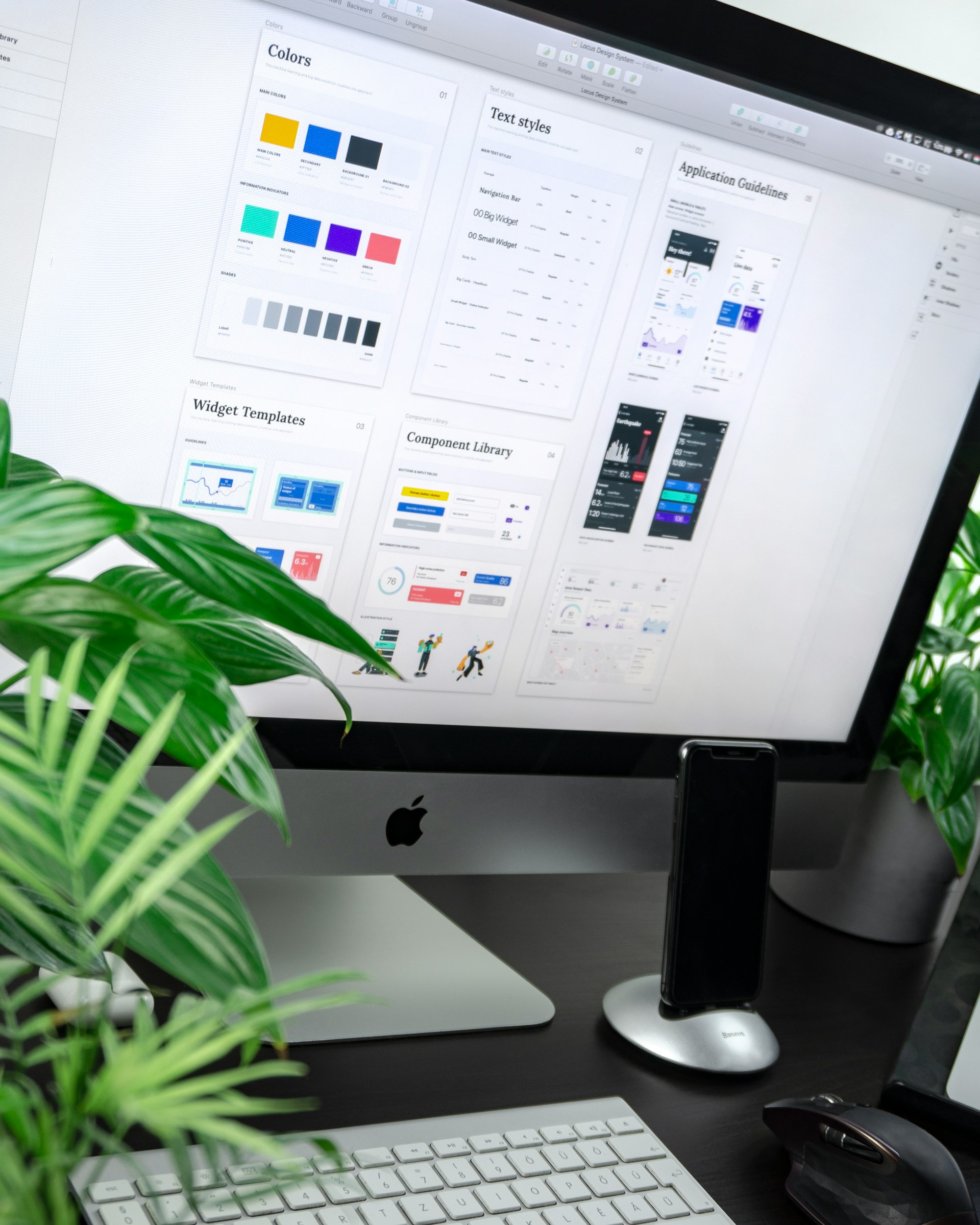
Once you've chosen the ideal platform, it's time to focus on designing your website — a crucial step in making sure your online presence is both appealing and functional.
Principles of effective web design
A successful web design rests on several key principles that guarantee not only the look of your site, but also its functionality and accessibility.
Here are a few criteria to keep in mind when designing your site:
- Simplicity: avoid cluttering your pages with unnecessary elements. A clean, simple design improves the user experience and helps direct attention to what matters.
- Consistency: make sure all your design elements, such as colours and fonts, are uniform across every page to reinforce your brand identity.
- Intuitive navigation: a clear navigation bar and logical links between pages make browsing easier and help visitors quickly find what they're looking for.
- Responsiveness: with more and more people on mobile, make sure your site is responsive — in other words, that it works well on every device, from desktops to smartphones.
Customising your theme on Ghost CMS
Ghost CMS offers a variety of themes you can use as a starting point for your site. Here's how to customise a template so it meets your needs:
- Choosing a theme: select a theme that matches the overall structure of your vision. On Abstract27, you'll find themes designed specifically for blogs, portfolios or business sites.
- Layout adjustments: use the Ghost theme editor to tweak the layout. You can adjust elements like headers, footers and columns to better reflect your brand.
- Style settings: customise the colours, fonts and other style elements directly in the editor. This lets you maintain a visual consistency that reinforces your brand identity.
- Mobile optimisation: make sure the theme is responsive and run tests on different devices to guarantee a good user experience everywhere.
Visual elements to optimise
The visual impact of your site can't be underestimated. Here are a few tips to improve aesthetics and engagement:
- High-quality images: use professional images that reflect the tone and style of your brand. Ghost makes it easy to import and manage images, which can be resized and optimised directly in the CMS.
- Graphics and icons: incorporate graphics and icons to illustrate key points and help visitors understand your content.
- Videos: videos can be a great way to engage visitors and give them information in a dynamic, accessible way.
4. Creating and optimising content

Source: Unsplash
With an attractive design in place, the next step is to fill your site with rich, optimised content — essential for engaging your visitors and improving your search ranking.
Content is king (Bill Gates - 1996)
On the web, content isn't just one component — it's central to the user experience and to organic search (SEO). Quality content attracts visitors and encourages them to interact with your site, which can also improve your search engine ranking.
Creating quality content
To create content that engages and informs, follow these tips:
- Identify your target audience: understand who your readers are and what they're looking for. This will help you create content that resonates with them.
- Offer value: every article or page should offer something useful or interesting for your visitors, whether that's practical advice, educational information or entertainment.
- Stay authentic: your brand's voice should be consistent and true to itself. This builds trust and engagement with visitors.
- Use catchy headlines: headlines are essential for grabbing attention. Make sure they're descriptive and include keywords for SEO.
- Structure your content: use subheadings, bullet points and short paragraphs to make content easy to read and scan.
SEO basics for beginners
Organic search is vital for improving your site's visibility. Here are a few basics to optimise your site for SEO:
- Keyword research: use tools like Google Keyword Planner to find relevant keywords that bring targeted traffic to your site.
- Integrate keywords naturally: scatter keywords strategically throughout your headings, subheadings and body text without overloading.
- Metadata: every page should have an appealing meta description and optimised title tags that use relevant keywords.
- Alt text for images: don't overlook alt text for your images. It helps improve accessibility and SEO.
- Linking strategies: include internal links to other pages on your site to help with navigation, and external links to trustworthy sources to boost credibility.
5. Using built-in features for maximum impact
Once you've built a solid foundation of quality content, make the most of your platform's built-in features to maximise your site's impact and effectiveness.
E-commerce integration
If your site includes selling products or services, optimising your online shop is crucial to maximising conversions:
- Set up an online shop: with Ghost CMS, you can integrate e-commerce plugins such as Shopify for simplified management of your products and transactions.
- Payment gateways: be sure to offer a range of secure payment options to suit your customers, including popular systems like Stripe, GoCardless, Paddle or Lemonsqueezy.
- Product listings and descriptions: create clear, descriptive listings with high-quality photos and detailed descriptions to encourage purchases.
Social media integration
A presence on social media is essential for boosting your visibility and driving traffic to your site:
- Links to social media: make sure your site includes links to your social media profiles, making it easy for visitors to connect with your social platforms.
- Content sharing: add social share buttons to your content pages to encourage visitors to share your articles, increasing your organic reach.
- Automated publishing: use tools like Buffer, Hootsuite or Zapier to automate the publishing of your new content to social media, simplifying the management of your online presence.
Email marketing
Email marketing remains one of the most effective ways to engage and retain customers:
- Creating campaigns: with Ghost's built-in tools, you can easily create and manage email campaigns to keep your subscribers informed about news, promotions or exclusive content.
- Subscription management: use sign-up forms to collect visitors' email addresses directly on your site, helping you grow a list of engaged subscribers.
- Email automation: set up automatic replies or email sequences to welcome new subscribers or follow up with customers after a purchase.
6. Maintenance and analytics
Source: Unsplash
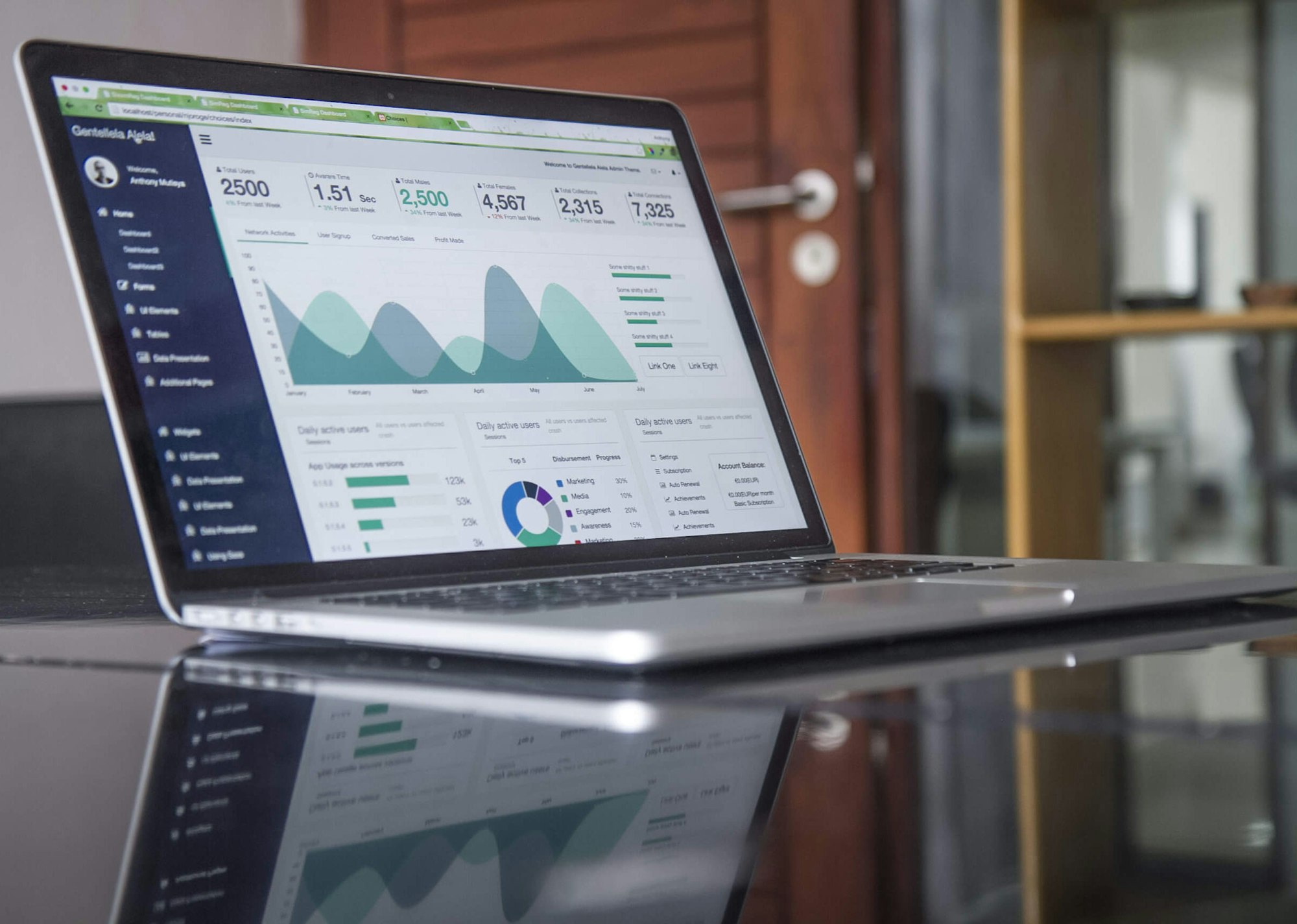
Your site is now rich in features and content — the next step is to make sure it's properly maintained and to analyse its performance.
Keeping your site up to date
Regular maintenance is essential to keep your website secure and running smoothly:
- Regular updates: keep your CMS, plugins and themes up to date to protect against security vulnerabilities and improve functionality.
- Technical checks: schedule regular checks to spot and fix any problems, such as broken links, slow-loading pages or outdated content.
- Automatic backups: use the tools available in Ghost CMS or your hosting service to automate backups, ensuring a quick restore of your site whenever you need it.
Using analytics to measure success
Analytics play a crucial role in understanding how visitors interact with your site and in refining your strategies:
- Google Analytics or Plausible: integrate them to monitor key indicators such as visitor numbers, page views and user behaviour patterns.
- Analysing traffic sources: track where your traffic comes from — social media, search engines or direct visits — to better focus your marketing efforts.
- Data-driven optimisation: use the data you collect to optimise your content, design and marketing strategies, making sure they match users' preferences and behaviours.
Insights and adjustments
Use the insights you gather to make informed adjustments:
- Content improvement: refine your content based on what engages users most, focusing on the topics that generate interest and interaction.
- Conversion optimisation: adjust elements of your site, such as call-to-action buttons or navigation, to improve conversion rates and the user experience.
- Targeted marketing strategies: tailor your marketing campaigns to user demographics and behaviours, increasing the effectiveness of your efforts.
Conclusion
You now have a thorough understanding of how to create an affordable yet effective website using Ghost CMS hosted on Abstract27.
Guide recap
- Planning and budgeting: clearly define your goals and set a realistic budget.
- Choosing the platform: select the platform that best matches your needs, highlighting the advantages of Ghost CMS for its simplicity, performance and affordable cost.
- Site design: stick to effective design principles to ensure an optimal user experience.
- Creating and optimising content: produce engaging content optimised for search engines.
- Using built-in features: make the most of e-commerce, social media and email marketing tools to enrich your interaction with visitors.
- Maintenance and analytics: keep your site up to date and use analytics data to continually refine your strategies.
Launching your web project doesn't have to be a daunting task. With the tools and tips provided in this article, you're well equipped to start with confidence.
Remember that every small step helps build a site that not only meets but exceeds your expectations.
Related articles

Affordable Website Redesign with Ghost CMS: How to Transform Your Site Without Breaking the Bank
Affordable website redesign: switch to Ghost CMS for a fast, optimised, hassle-free site that won't cost you a fortune.

How to Create a Website for Doctors Step by Step
A professional website is now essential for doctors who want to improve their visibility and make communicating with patients easier.

Website Maintenance: Everything You Need to Know
A complete guide to website maintenance: types, frequencies, security, SEO and tools to keep your site fast and reliable.
14-day free trial · No credit card